Building JobHunt: A TPM's Notes on Shipping an AI Job Application Assistant
I'm a Technical Product Manager. I think in user journeys, prioritisation frameworks, and edge cases. What I don't usually do is write the code. JobHunt changed that, not because I suddenly became a software engineer, but because AI-assisted development has made the distance between an idea and a working product smaller than I've ever seen it. This is a record of what I built, why I built it that way, and what the decisions looked like in practice.
17 May 2026
The Problem
Job searching has a compounding unfairness built into it. The people who are best at applying, with tailored CVs, specific cover letters, and pre-prepared STAR answers, have usually done it many times before. They know the system. First-timers, career changers, and people returning after a break don't have that fluency.
JobHunt is an attempt to close that gap. Not by automating the application, because a fully automated application is a bad application, but by giving every user the same preparation toolkit that experienced job seekers have built up over years.
What's Built
Job Aggregation
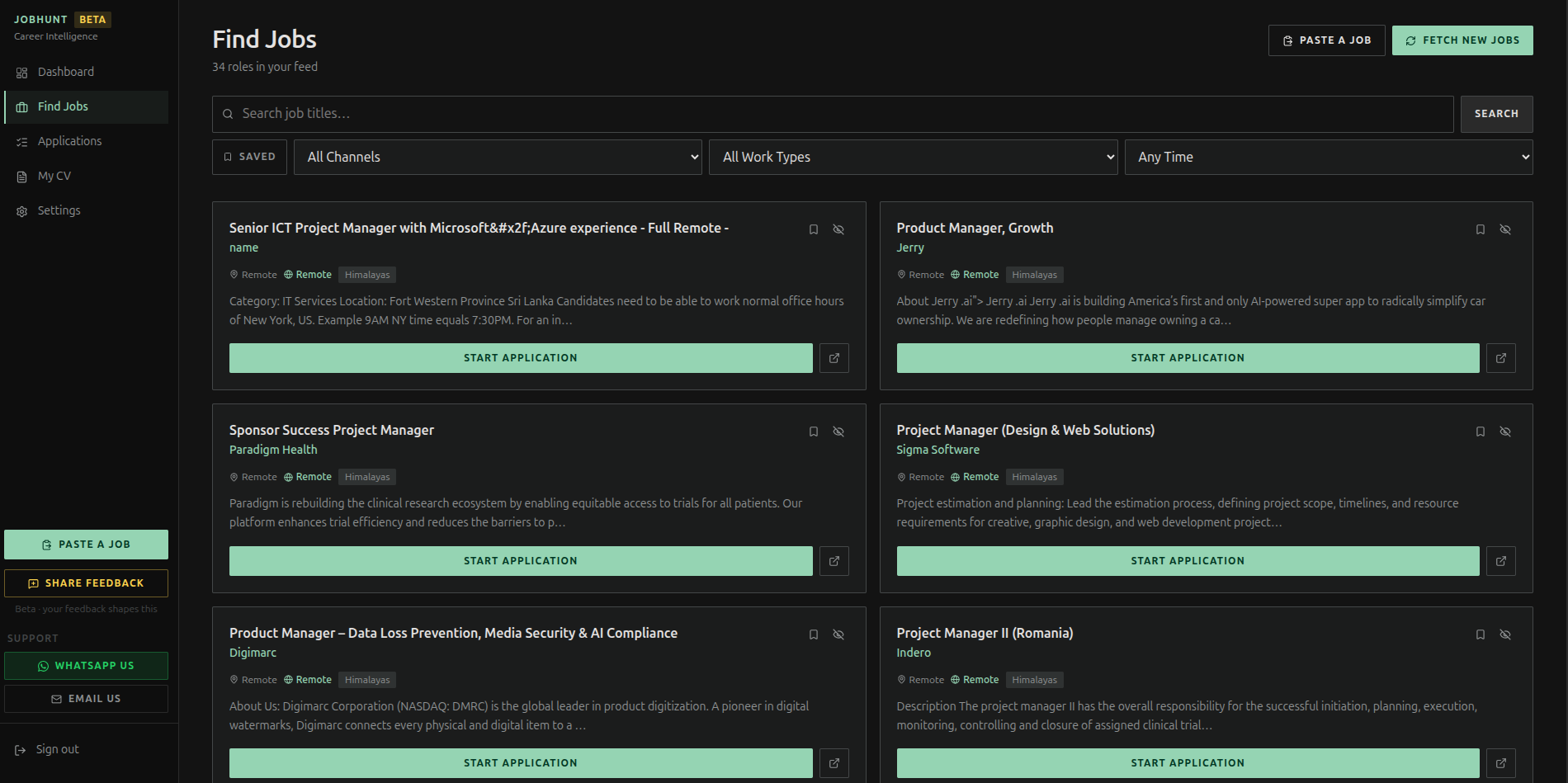
The app pulls from 8 job boards into a single feed. Sources include RemoteOK, Jobicy, Himalayas, and others. There's also a "Paste a Job" flow for roles that aren't on any of the integrated boards. The user pastes a URL or raw text, and the app creates the application record from it.
The product decision here was to make aggregation one input surface, not the point of the product. The value isn't the job list. It's what happens after you decide you want to apply.
CV Management
Users can upload multiple CV versions in PDF or DOCX. The app extracts the text, runs an AI analysis scored from 1 to 10 with strengths, gaps, and keywords to add, and stores it as a named document. When you apply to a role, you pick which CV version to use as the base.
AI CV tailoring is where it gets interesting. The app rewrites your CV for the specific role, not wholesale, but emphasising the right things, and shows you the diff in a split-pane view. Original on the left, tailored on the right, with line-level highlighting. You edit freely before saving.
Cover Letters
This feature went through the most revision. The original version generated generic, usable cover letters. The revised version enforces rules I would give a junior team member writing their first cover letter:
First sentence must reference something specific about the company from the job description, not a compliment, a fact
No "I am writing to apply" or any variation
One thing from your background connected to one problem they need solved
Sound like a person, not a template
On top of the style options, formal, casual, creative, concise, or detailed, there's now a length toggle: 250 words, 400 words, or 600 words. The 250-word version is my personal preference because it forces every sentence to earn its place. But some roles, some contexts, and some users genuinely want more room. Giving them the override without removing the constraint was the right call.
Interview Preparation
The first version generated 10 questions with a short hint on each. Functional, but leaving the hardest work to the user.
The current version generates:
3 Behavioural questions covering past behaviour, conflict, failure, and leadership
4 Technical questions on role-specific tools, methodologies, and domain knowledge
3 Culture Fit questions on values, working style, and motivation
For each question, there's a STAR model answer, written in first person, pulled from the user's actual CV, approximately 130 to 150 words. This matters because most people know they're supposed to use the STAR method and freeze anyway. A worked example from their own background removes the blank page problem.
There are also 3 smart questions to ask the interviewer, generated from the job description, each with a note on why it makes the candidate stand out. Interviews are two-way. Ending with "no, I think we covered everything" is a missed opportunity.
The practice mode, where the user types their answer and gets AI coaching feedback, still lives alongside the STAR answers. Users can read the model answer, then try their own version.
AI Match Score
Given your CV and the job description, the AI returns:
A score from 0 to 100, with calibration guidance in the prompt to prevent score inflation
A label: Excellent, Strong, Moderate, or Weak Match
Matched skills, up to 8, shown as green chips
Skill gaps, up to 6, shown as red chips
ATS keywords from the job description that should appear in your CV
A one to two sentence honest recommendation
The score is computed on demand and not persisted, intentionally. This keeps it current whenever you update your CV and avoids a DB migration for the MVP.
LinkedIn Connection Request Generator
A small, focused feature. Four sentences. No flattery. Lead with something specific about the company's work, connect it to why you're reaching out, make the ask clear. The prompt has explicit prohibitions because AI defaults to generic flattery without them. One-click copy. That's the full feature.
Sending and Tracking
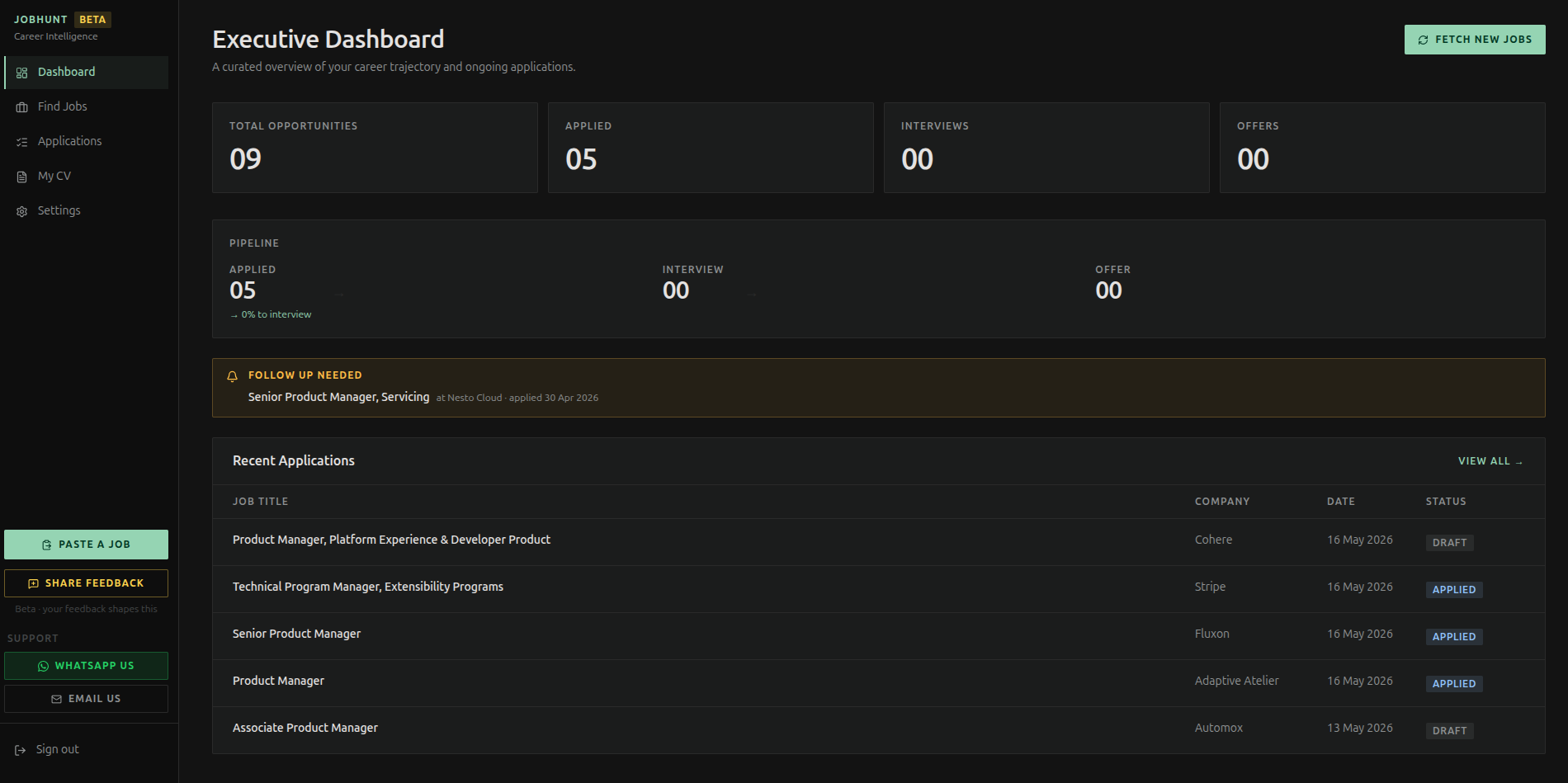
Applications move through a status pipeline: Draft, Applied, Interview, Offer, Rejected, or Withdrawn. The dashboard shows stats, upcoming interview alerts, and follow-up reminders.
Gmail OAuth lets users send their application directly from the app, cover letter in the body, tailored CV attached, without copying anything across. The application detail page has five tabs: Overview, Cover Letter, Tailored CV, Interview Prep, and Send. Everything for one application in one place.
Infrastructure
AIGemini 2.5 Flash Lite (free tier)
BackendSupabase (auth, Postgres, storage)
FrontendNext.js on Vercel
AuthPasskey / WebAuthn + email
PWAiOS and Android, service worker, offline
i18nEnglish, Spanish, French, Portuguese, German
SecurityAuth guard on all AI routes, rate limiter
Keeping Gemini on the free tier was a deliberate call. Zero operational cost during beta means I can focus on the product without watching a usage meter.
What I've Learned Building This
Prompt constraints are a product decision.
Telling the AI "no more than 250 words" or "never say X" is the same as writing a content spec. The quality of the output is a direct function of how precisely you define what good looks like.
Every toggle should solve a real disagreement.
The length selector for cover letters exists because a real user wanted a longer letter. I didn't add it speculatively. Speculative toggles become clutter.
Free-tier AI is genuinely viable for MVP.
Gemini 2.5 Flash Lite handles every AI task in this app at zero cost during beta. CV tailoring, cover letter generation, interview prep, match scoring. This changes the economics of AI product development in a meaningful way.
The diff view changed how people use the CV tailor.
Before the split-pane diff, users generated a tailored CV and either trusted it blindly or didn't use it at all. Seeing exactly what changed line by line built confidence. People started editing, which means they were engaging with the output rather than just consuming it.
What's Next
Kanban board view for the application pipeline, a visible usage meter, and a proper privacy policy and data deletion flow before any wider launch.
Beta is live. If you're job hunting and want early access, message me.
JobHunt is currently in beta. Real users are using it. Request Early Access

TPM building SaaS, fintech, and marketplace products from scratch to scale. Writing about product management, systems thinking, and shipping software.